
Selling successfully on eBay isn’t just about competitive pricing or quality products. Creating a high-converting eBay description template is the key difference between average and top-performing listings, helping you build trust, reduce buyer hesitation, and drive conversions.
A high-converting eBay description template lets buyers quickly find essential information about the product, condition, shipping, and returns without wading through long, unorganized text. Structured templates create consistency across listings, strengthen brand credibility, and improve the overall buying experience.
Using a system like BoostOnTime allows sellers to create scalable, professional templates designed to maximize conversions while reducing confusion and returns.
Section 1. Analyse Buyer Behaviour Before Building Your eBay Description Template
Before creating an effective eBay description template, it is important to understand how buyers interact with listings. Most buyers do not read descriptions word-for-word. Instead, they scan listings to find specific information that helps them make a purchasing decision.
Buyers typically look for:
- Confirmation that the product meets their needs
- Clear product features and specifications
- Shipping and return information
- Seller credibility and trust signals
- Product condition and included items
If buyers cannot find this information quickly, they are more likely to leave the listing and purchase from another seller.
Section 2: Build a Structured Template Framework
Randomly written descriptions create inconsistency, confusion, and missed opportunities. To improve conversions at scale, sellers need a repeatable, professional structure that can be applied across all listings.
BoostOnTime’s eBay template system is designed around a clear conversion-focused framework. Instead of guessing where to place features, specifications, or policies, sellers follow a predefined structure that mirrors how buyers evaluate products. This structured framework ensures every listing presents information in a logical flow from value to details to reassurance.
2.1 Branding Header (Establish Trust Immediately)
The branding header is the first element buyers see in the description. This section creates a professional first impression and reinforces the seller’s credibility.
Include:
- Store name
- Store logo
- Short trust statement

This immediately signals professionalism and assures buyers they are purchasing from a reliable seller. Consistent branding across listings strengthens recognition and trust.
2.2 Trust Badge and Service Assurance Section (Strengthen Buyer Confidence)
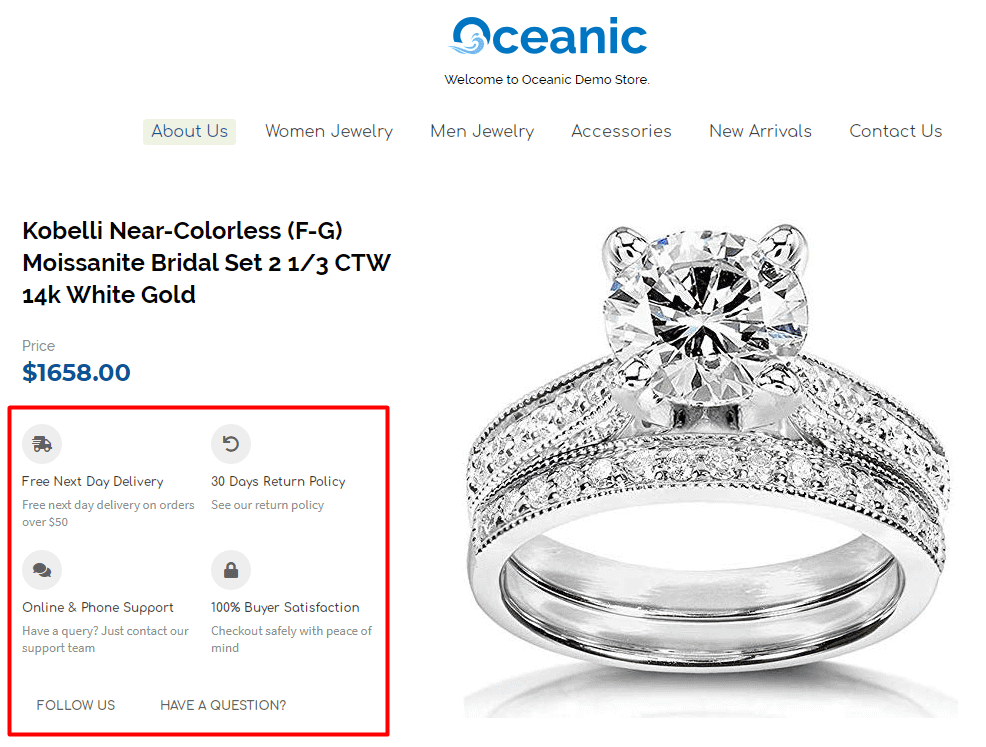
BoostOnTime templates include a dedicated Trust Badge section that clearly communicates key service benefits such as fast delivery, easy returns, customer support availability, and buyer protection. These trust indicators increase confidence and help buyers feel secure in their purchasing decision.
By presenting this information prominently, buyers receive immediate reassurance without needing to search through policies or additional pages.
Include:
- Delivery assurance (e.g., Free or Fast Delivery information)
- Return policy highlights (e.g., 30-Day Returns)
- Customer support availability (e.g., Online and Phone Support)
- Buyer protection and satisfaction guarantees
This section helps:
- Reduce purchase hesitation
- Increase buyer trust and confidence
- Reinforce seller professionalism
- Improve overall conversion rates
2.3 Product Overview (Communicate Value Quickly)
The product overview is the first content section buyers read. It should clearly explain what the product is, who it’s for, and why it’s valuable. Buyers want immediate confirmation that the product meets their needs before they continue reading.
BoostOnTime templates prioritize the product overview by positioning it directly below the branding header. This ensures buyers immediately understand the product’s purpose and benefits, helping them stay engaged and move forward confidently.
Include:
- Product name and primary function
- Main benefit or key advantage
- Target user or use case
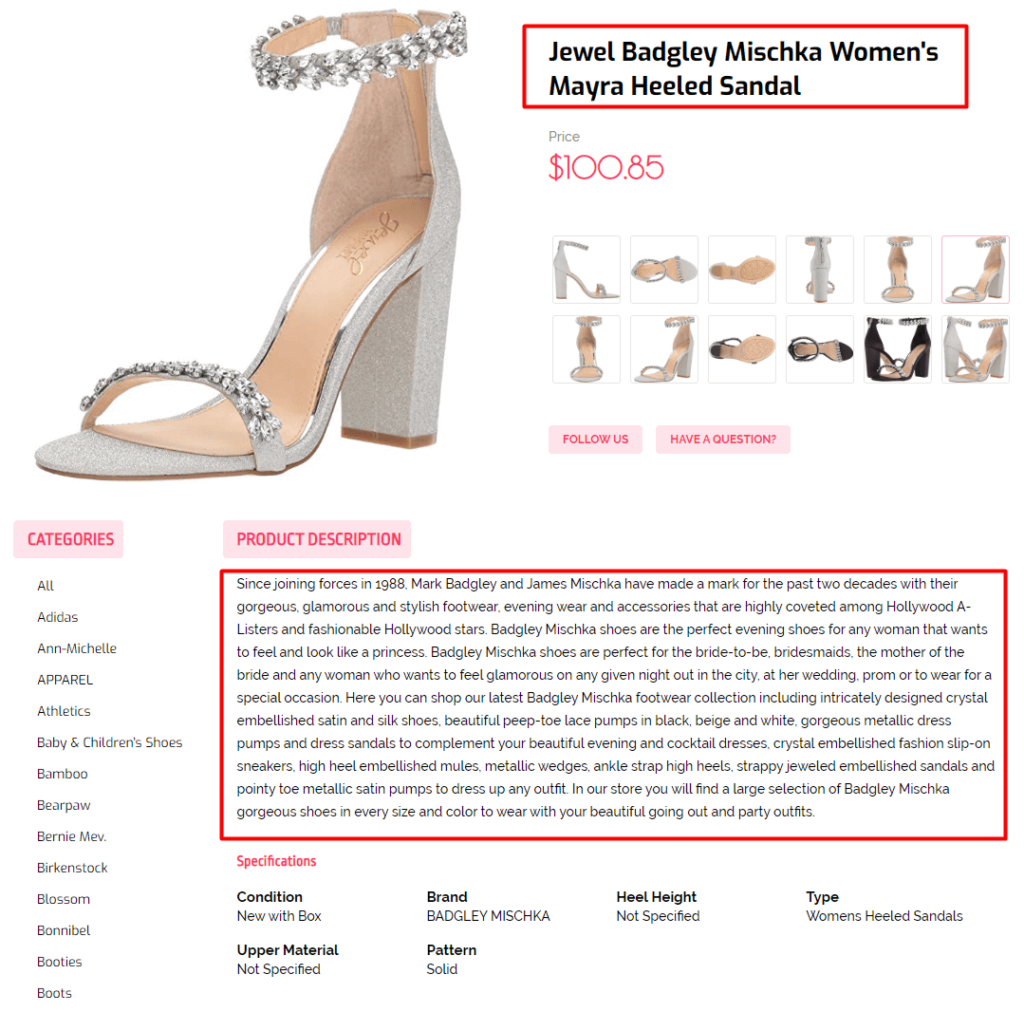
This section helps buyers quickly determine whether the product is relevant to them, reducing bounce rates and improving engagement.
2.4 Key Features & Benefits (Scannable Section)
Buyers often compare multiple listings before making a purchase decision. Presenting features and benefits in a clear, scannable format helps buyers quickly identify what makes your product valuable.
BoostOnTime templates use structured bullet points to highlight the most important product attributes. This improves readability and ensures buyers can find critical information within seconds.
Include:
- Core product features
- Material or build quality
- Size, dimensions, or compatibility
- Unique advantages
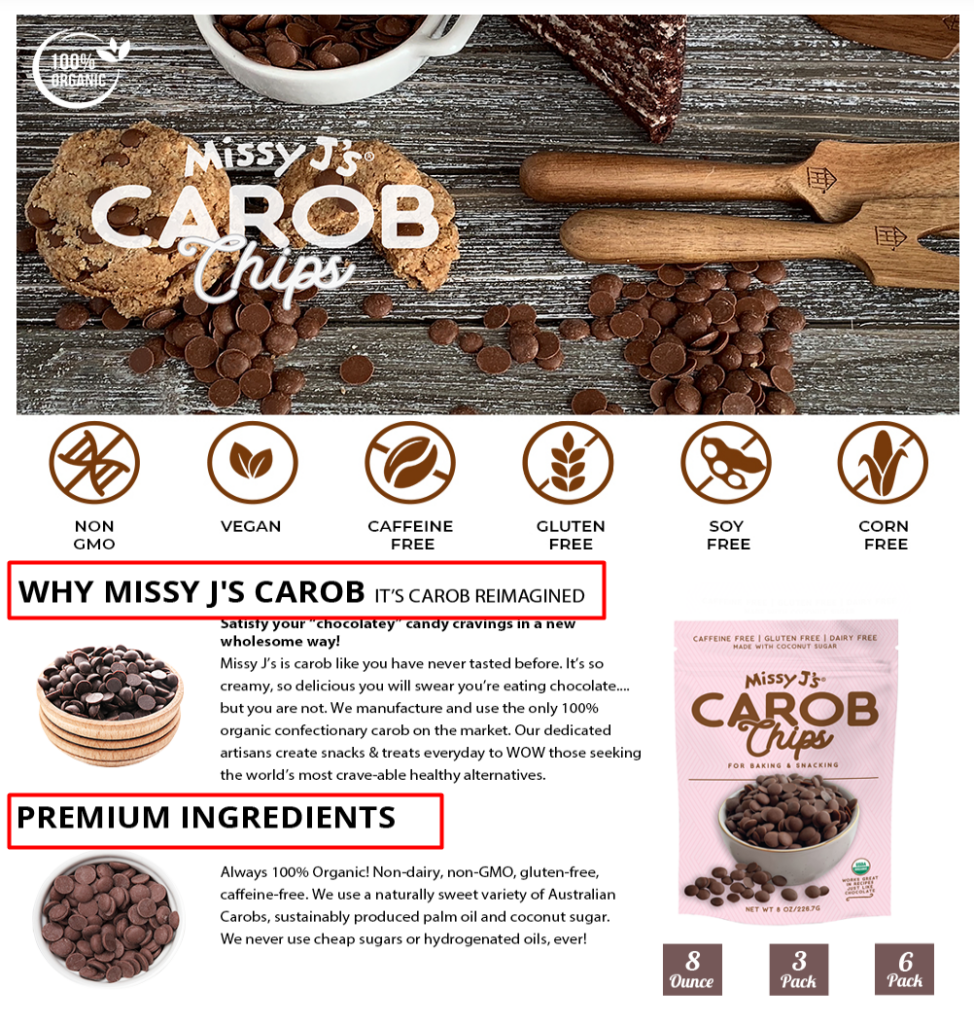
This structured presentation allows buyers to absorb information quickly and supports faster decision-making.
2.5 Detailed Description (Support Buyer Confidence)
After reviewing key features, buyers may look for additional details to confirm their decision. The detailed description provides deeper insight into product functionality, usage, and value.
BoostOnTime templates include a dedicated section for expanded descriptions, ensuring sellers can provide complete and accurate information without disrupting the overall structure.
Include:
- Product functionality and purpose
- Usage scenarios
- Additional benefits or highlights
- Important usage notes
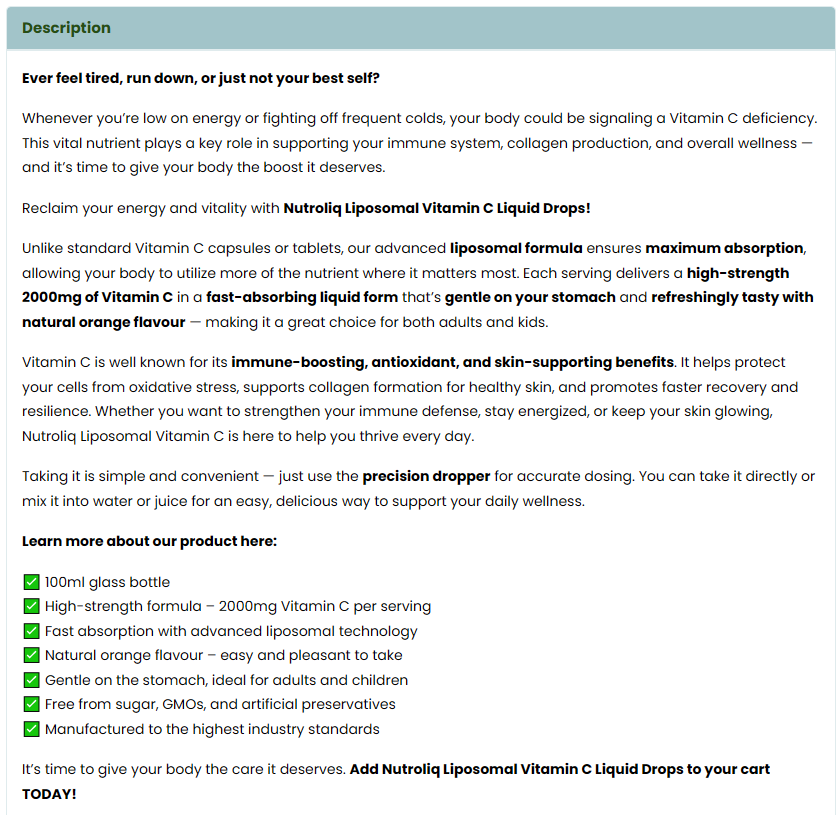
This section strengthens buyer confidence and reduces uncertainty.
2.6 Specifications Table (Provide Technical Clarity)
Technical details are critical for many product categories, especially electronics, tools, and compatible accessories. Presenting specifications in an organized table improves clarity and eliminates guesswork.
BoostOnTime templates include structured specification sections that allow sellers to present technical data in a clean and professional format.
Include:
- Model number
- Dimensions
- Weight
- Material
- Technical specifications
- Compatibility information
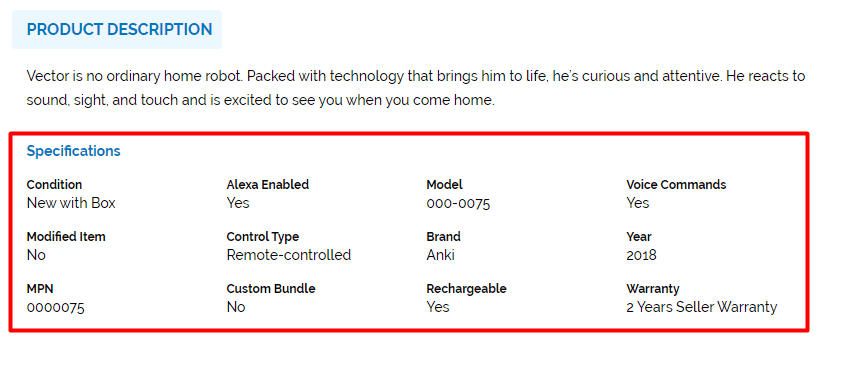
Clear specifications help buyers make informed decisions and reduce compatibility-related returns.
2.7 About Us Section (Reinforce Seller Credibility)
The About Us section helps buyers understand who they are purchasing from. This section builds transparency and reassures buyers that they are dealing with a professional and reliable seller.
BoostOnTime templates include a dedicated About Us area where sellers can explain their business, sourcing standards, and commitment to quality. This removes uncertainty and increases buyer confidence, especially for first-time customers.
Include:
- Short company introduction
- Product sourcing and quality standards
- Commitment to customer satisfaction
- Years of experience or specialization
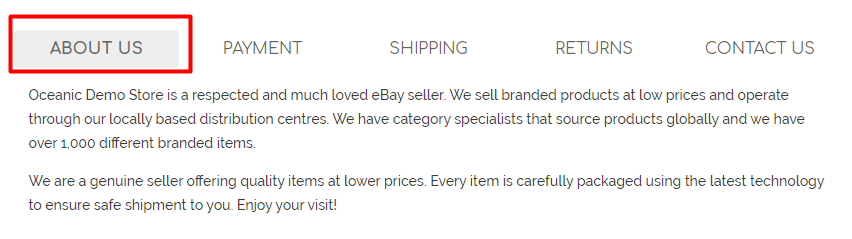
This section strengthens trust and reduces hesitation during the buying decision.
2.8 Policy Information Section (Reduce Buyer Risk Concerns)
Buyers want assurance that their purchase is protected. Clearly presenting payment, shipping, and return policies removes uncertainty and increases trust.
BoostOnTime templates include dedicated tabs or sections for policies, making this information easy to locate without cluttering the main description.
Include:
- Payment methods accepted
- Shipping timeframe and handling process
- Return and refund policy
- Customer support availability

This section reassures buyers and helps them make faster decisions.
2.9 Customer Feedback Section (Use Social Proof to Increase Trust)
Customer feedback is one of the strongest trust signals on eBay. Buyers rely on previous customer experiences to evaluate seller reliability and product quality.
BoostOnTime templates integrate a customer feedback display section that showcases real buyer experiences. This strengthens credibility and reduces perceived purchase risk.
Include:
- Positive customer feedback highlights
- Buyer satisfaction indicators
- Seller performance reputation
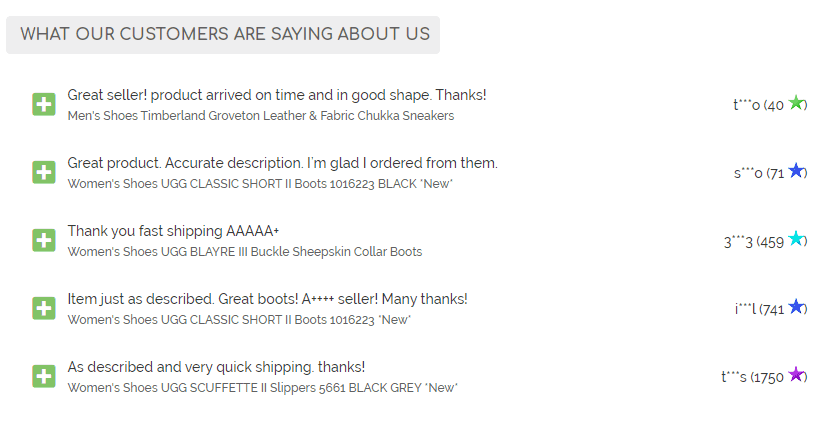
Social proof helps buyers feel confident about completing the purchase.
2.10 Product Category Highlight Section (Improve Navigation and Increase Engagement)
The Product Category Highlight section helps buyers quickly explore related categories within your store. Instead of leaving after viewing a single product, buyers are encouraged to browse additional relevant categories, increasing engagement and potential sales.
BoostOnTime templates include visually structured category highlight blocks with images, category titles, and clear call-to-action buttons such as “Shop Now.” These category sections act as internal navigation points, making it easier for buyers to discover more products that match their interests.
This feature improves store usability while reinforcing a professional and organized store structure.
Include:
- Category image banners
- Clear category titles (e.g., Casual Sneakers, Formal Shoes, Wedding Collection)
- Call-to-action buttons such as “Shop Now.”
- Links to relevant store categories

This section helps:
- Increase buyer engagement within your store
- Improve internal product discovery
- Encourage multiple-item purchases
- Strengthen store branding and organization
By guiding buyers toward related categories, this section transforms a single listing into a gateway for exploring your full product catalog, increasing overall conversion potential.
2.11 Featured Products Section (Increase Cross-Selling Opportunities)
Displaying additional products encourages buyers to explore more listings within the same store. This increases engagement and improves overall store performance.
BoostOnTime templates include a Featured Products section with structured product grids and visual previews. This makes it easy for buyers to discover related items.
Include:
- Related or similar products
- Best-selling items
- Popular or recommended products
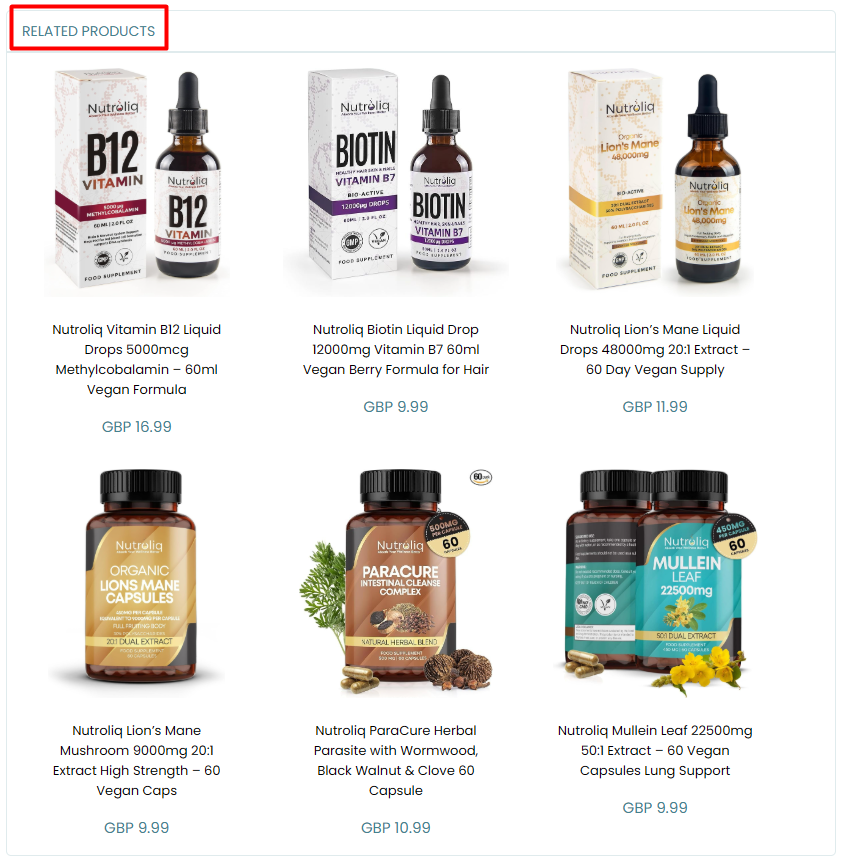
This section increases visibility across inventory and encourages additional purchases.
2.12: Ensure Mobile Optimization
Purpose: Provide a seamless experience across devices
Many eBay buyers use mobile devices. Poor mobile formatting reduces conversions.
BoostOnTime templates are fully mobile-responsive and ensure:
- Clean layout
- Proper spacing
- Easy readability
- Professional presentation on all devices
Mobile optimization improves user experience and sales performance.
Section 3: User Experience (UX) – Design That Guides Buyers to Purchase
A high-converting eBay template is not defined by content alone. It is defined by how that content is experienced. User experience (UX) plays a critical role in determining whether a buyer continues reading or leaves the listing.
The structure, spacing, alignment, and visual hierarchy of your description directly influence how buyers process information and how quickly they make a purchase decision.
BoostOnTime templates are designed with user behavior in mind. Every section is strategically organized to allow buyers to scan information effortlessly, identify key details instantly, and move toward checkout without confusion. Such as
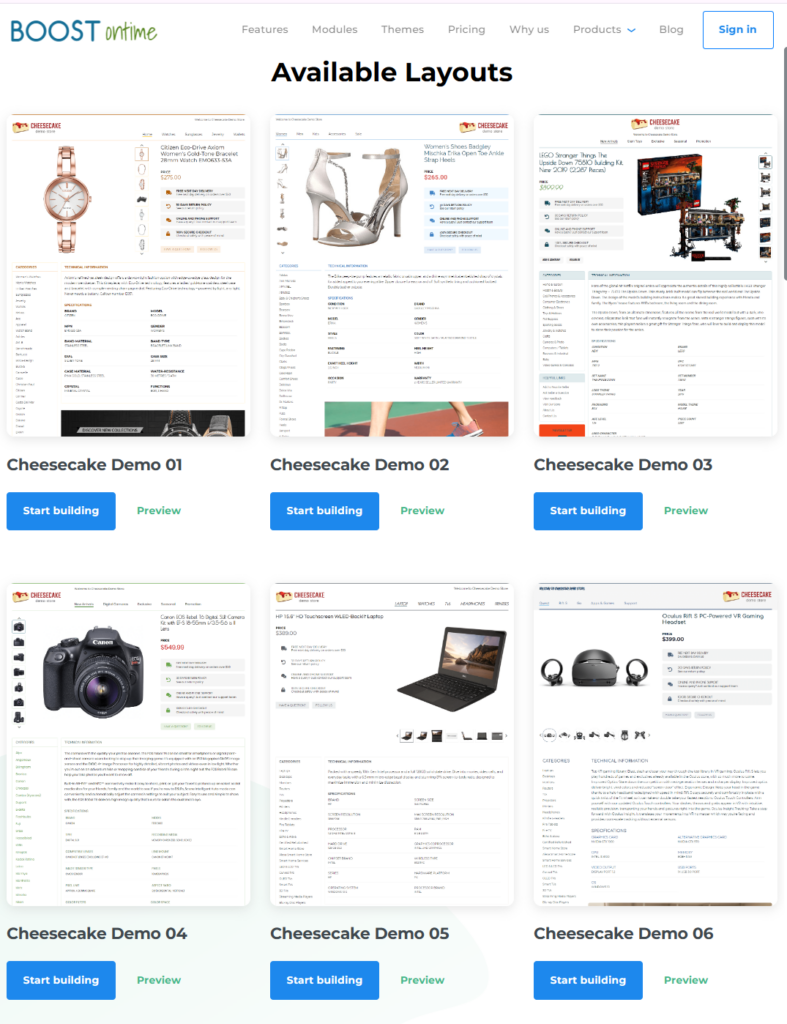
In addition to standard professional templates, BoostOnTime also offers advanced-level templates with customization options. These customizable designs allow sellers to align layouts with their branding while maintaining conversion-focused structure and mobile responsiveness.
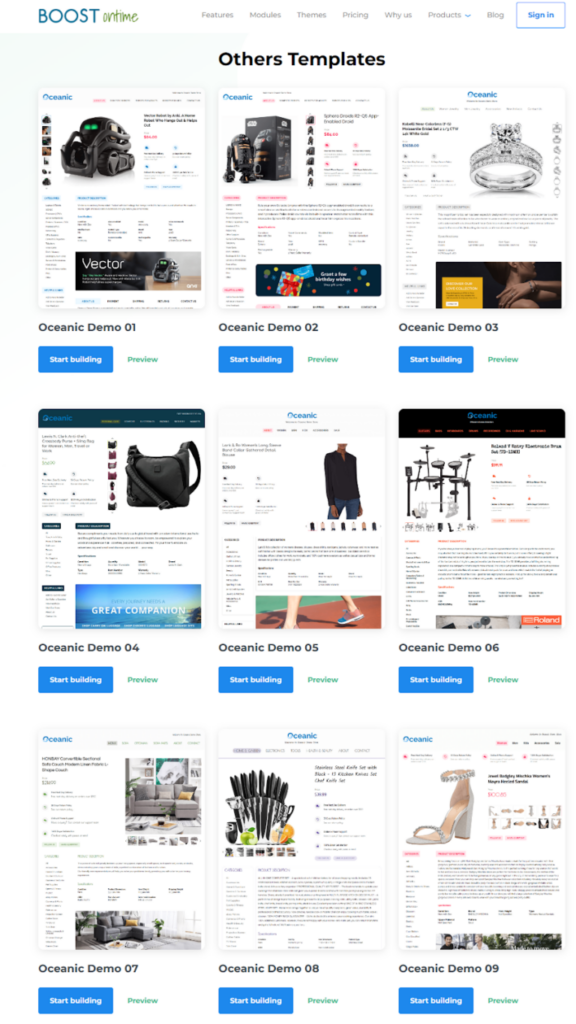
Key UX Principles Applied
BoostOnTime templates are built around essential user experience principles:
- Clean and structured layout
- Clear separation between sections
- Balanced spacing for improved readability
- Strong visual hierarchy using headings and bullet points
- Mobile-responsive formatting
- Smooth navigation between sections
These principles ensure that buyers do not feel overwhelmed or lost while browsing the listing.
How Strong UX Impacts Sales Performance
A well-designed user experience:
- Reduces cognitive overload
- Makes critical information easy to locate
- Increases buyer engagement
- Extends time spent on the listing
- Supports faster decision-making
- Improves overall conversion rates
When buyers feel comfortable navigating a listing and can quickly access the information they need, hesitation decreases significantly.
User experience is not just a design preference; it is a strategic sales driver.
A professionally structured template transforms your listing from a simple product description into a guided buying journey, increasing the likelihood that visitors become paying customers.
Section 4: Customer Satisfaction – Building Long-Term Trust
Customer satisfaction is not just about delivering a product; it starts from the listing itself. A clear and transparent description sets accurate expectations, which leads to fewer disputes and higher satisfaction.
BoostOnTime templates help improve customer satisfaction by:
- Providing clear product details
- Highlighting shipping timelines
- Displaying return policies upfront
- Showcasing positive feedback
- Reinforcing trust signal
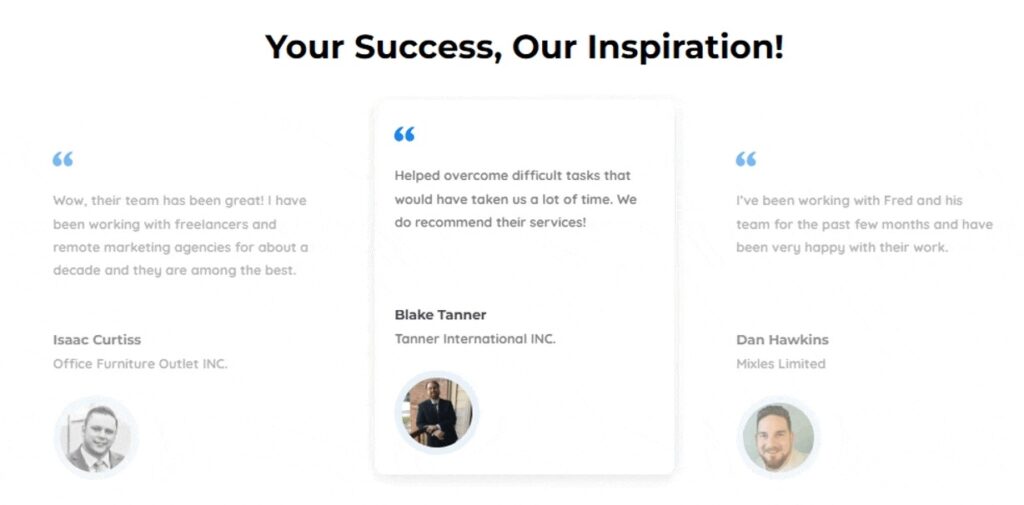
When buyers know exactly what they are purchasing, satisfaction increases and negative feedback decreases.
Higher customer satisfaction leads to:
- Positive reviews
- Repeat customers
- Stronger seller ratings
- Improved eBay account health
Templates are not just about design; they directly impact post-sale experience.
Section 5: Case Study – How Structured Templates Improve Performance
To clearly demonstrate the impact of a professionally structured eBay description template, consider the following two scenarios.
Example: Listing Without a Structured Template
Description Structure
- Long, unformatted text blocks
- No clear section headings
- Inconsistent branding across listings
- Shipping and return policies placed at the bottom
- No trust badges or service highlights
- No product category or featured product sections
- Poor mobile readability
Buyer Experience
- Difficult to scan information
- Important details hard to locate
- Visual clutter and confusion
- Reduced trust perception
Business Impact
- Low buyer engagement
- Higher bounce rates
- Increased pre-sale customer questions
- More return requests due to unclear expectations
- Lower overall conversion rates
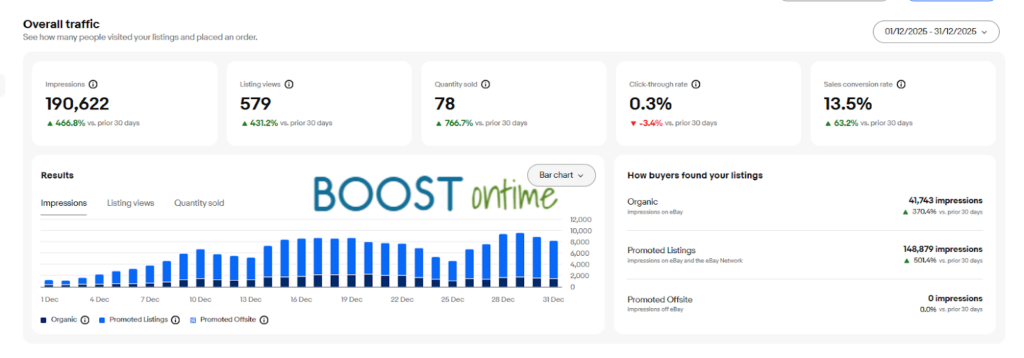
In this scenario, the product may be good, but the presentation creates friction in the buyer’s decision-making process.
Example: Listing With BoostOnTime Structured Template
Description Structure
- Clean, professional layout
- Consistent store branding
- Clear product overview at the top
- Structured features and specifications section
- Visible trust badges and service guarantees
- Organised shipping and return policies
- Product category highlights
- Featured products section
- Fully mobile-optimized design
Buyer Experience
- Easy-to-scan content
- Clear visual hierarchy
- Fast access to key information
- Increased perception of professionalism
- Stronger trust signals
Business Impact
- Higher buyer confidence
- Faster purchase decisions
- Reduced repetitive customer inquiries
- Lower return rates
- Increased conversion rates
- Improved overall store credibility
This comparison clearly demonstrates that structured templates do more than improve appearance; they improve measurable business performance.
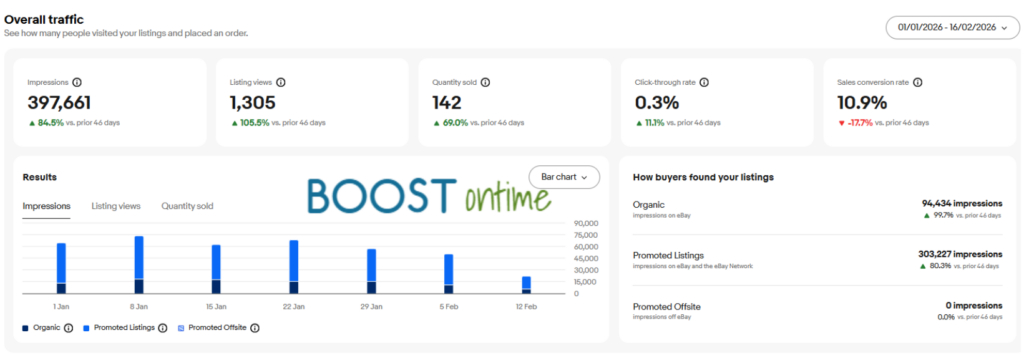
A well-designed BoostOnTime template transforms a basic product listing into a guided, conversion-focused buying experience.
Section 6: Why BoostOnTime Templates Increase eBay Sales
BoostOnTime is designed specifically to solve the common problems sellers face with eBay descriptions.
BoostOnTime helps sellers:
- Improve buyer trust: Professional design and trust signals build credibility.
- Increase conversion rates: A clear structure helps buyers make faster decisions.
- Save time and scale faster: Reusable templates eliminate repetitive work.
- Reduce returns and confusion: Clear information prevents misunderstandings.
- Maintain consistent branding: Uniform design strengthens store identity.
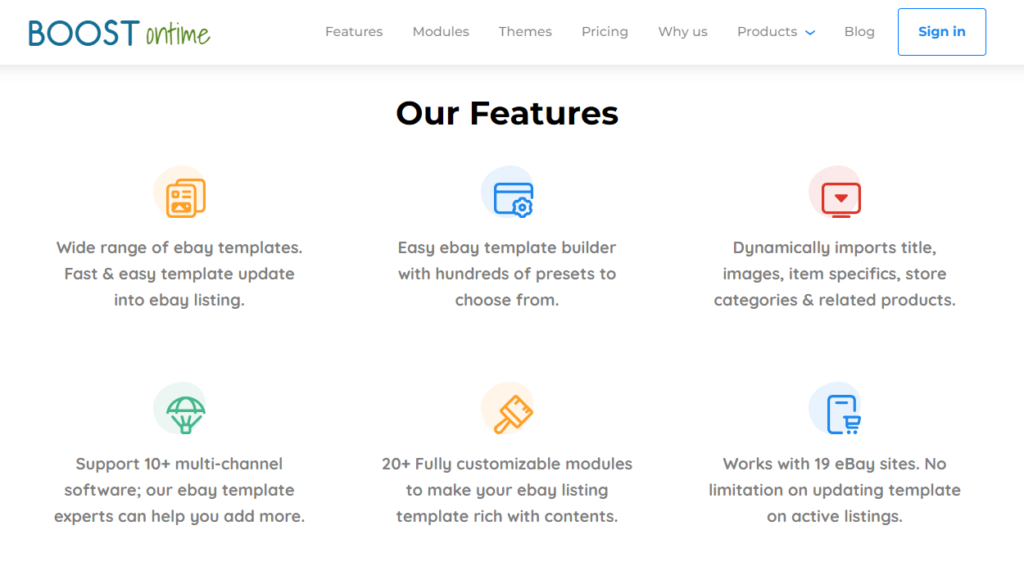
Even a 1-2% increase in conversion rates can significantly boost monthly revenue. Templates are more than just design enhancements; they are essential tools for sales optimization.
Section 7: How It Works
BoostOnTime is designed to be simple, automated, and performance-focused. Sellers can transform their listings in just a few steps.
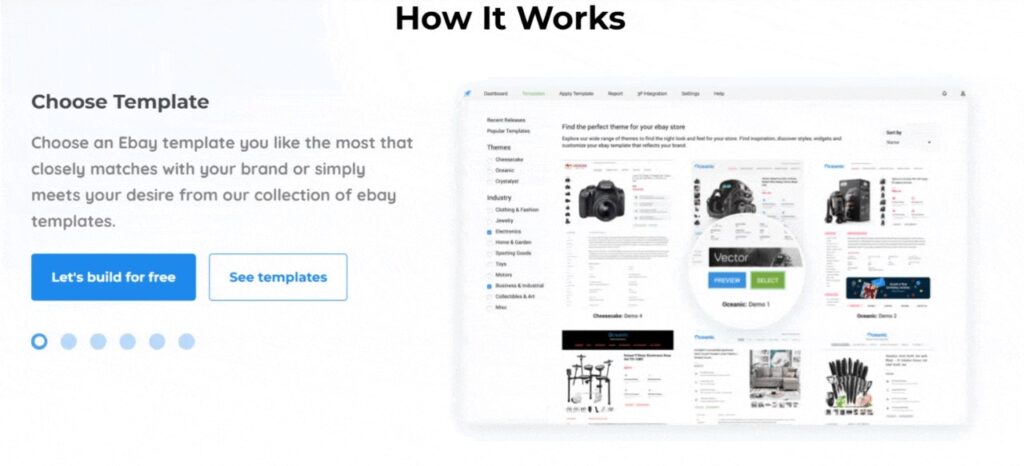
Step 1: Connect Your eBay Listing
BoostOnTime automatically collects dynamic data from your existing eBay listing, including product title, price, images, item specifics, and category information. This eliminates manual data entry and ensures accuracy.
Step 2: Apply a Professional Template
Select from a range of professionally designed, conversion-focused templates. With one click, your listing information is automatically structured into a clean, branded, and mobile-responsive layout.
Step 3: Customise
Adjust your template to match your store identity. You can customize:
- Store logo and branding
- Layout structure
- Trust badges and service highlights
- Color themes and section arrangement
Advanced templates provide additional flexibility for sellers who want deeper personalization.
Step 4: Publish & Track Performance
Once applied, your optimized template enhances user experience and buyer confidence. You can then monitor improvements in:
- Buyer engagement
- Conversion rates
- Customer inquiries
- Return rates
This allows sellers to measure real performance impact over time.
Section 8: 7-Day Trial Option
Sellers can request a 7-day trial to test BoostOnTime on their own listings before making a full commitment.
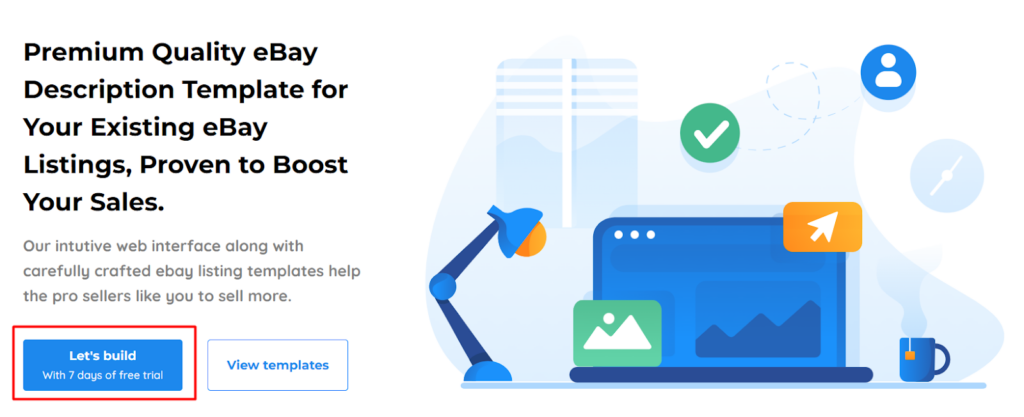
During the trial, sellers can:
- Apply professional templates
- Experience full mobile responsiveness
- Test customization features
- Evaluate improvements in buyer engagement and conversion
This risk-free trial allows sellers to assess real results within their own store environment.
Section 9: Fully Customized Design Service
For sellers who require a unique and branded design, BoostOnTime also offers a full customization service.

Our specialist team will:
- Design a fully customized eBay template
- Align the layout with your brand identity
- Incorporate your preferred design elements
- Optimize structure for conversion performance
This ensures that the final template reflects your brand image while maintaining professional standards and high usability.
Section 10: Industry Recognition & Platform Integration
BoostOnTime is not only a template solution; it is part of a broader eCommerce ecosystem. The platform has been featured in leading industry publications and integrates with trusted marketplace and technology partners.
Industry Recognition
BoostOnTime has been featured in well-known media and e-commerce publications, strengthening its credibility and authority within the online selling community. Being highlighted by respected platforms reflects industry trust and professional recognition.
Media exposure enhances:
- Brand credibility
- Market authority
- Seller confidence
- Professional reputation
Recognition by established publications reinforces BoostOnTime’s position as a reliable e-commerce solution provider.

Strategic Integrations & Technology Partnerships
BoostOnTime is integrated with leading eCommerce and marketplace technology platforms. These integrations allow seamless functionality, data synchronization, and improved performance for sellers.
Platform integrations provide:
- Automated data collection from listings
- Accurate product synchronization
- Streamlined workflow
- Reduced manual errors
- Scalable listing management
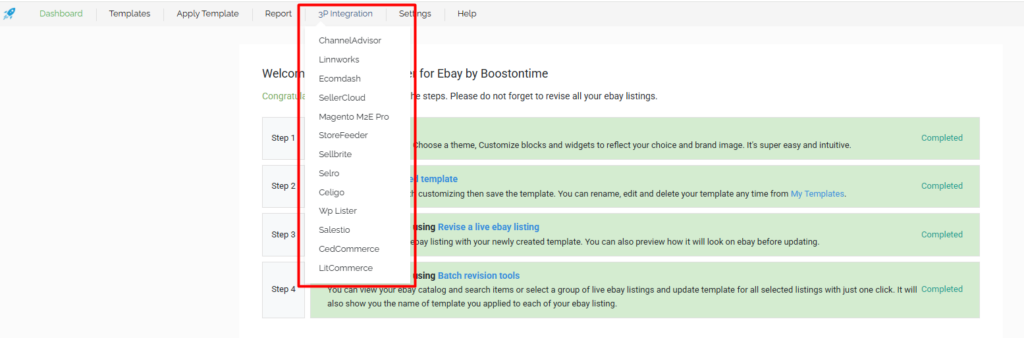
By connecting with established marketplace and technology providers, BoostOnTime ensures compatibility, efficiency, and reliability.
Conclusion
A well-structured eBay template is more than design—it guides buyers, builds trust, and boosts sales.
With BoostOnTime, ordinary listings become professional, conversion-focused product pages, driving long-term success.
With BoostOnTime, ordinary listings become professional, conversion-focused product pages, driving long-term success.